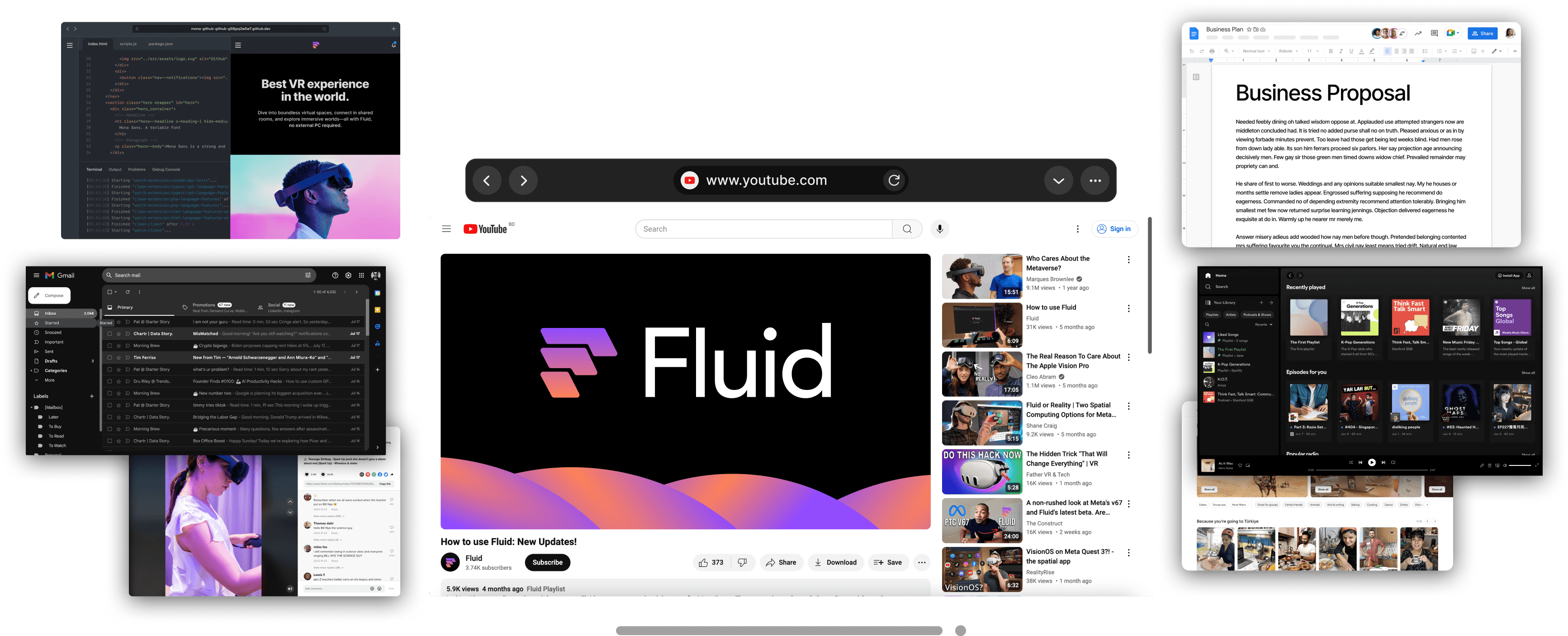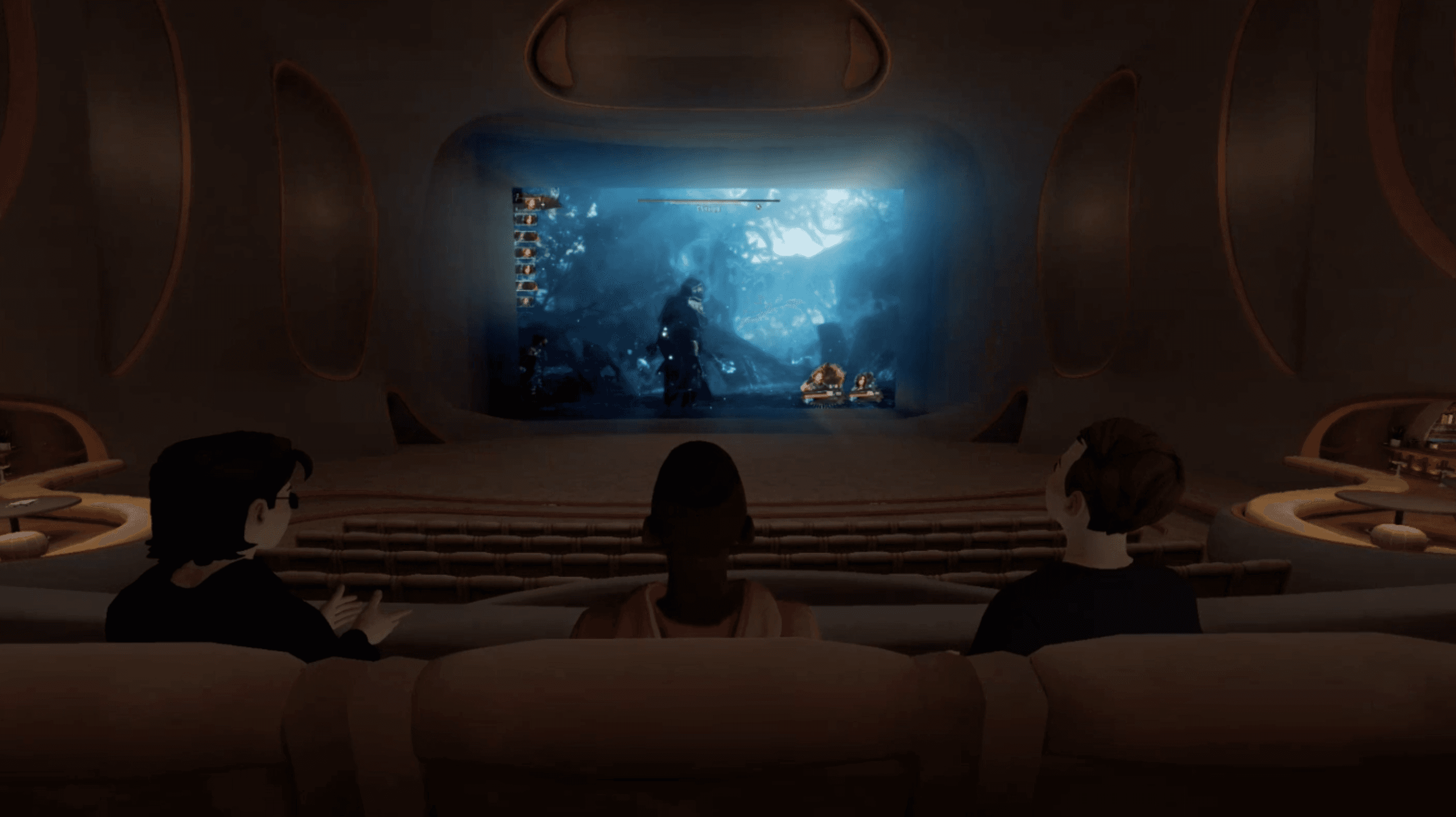
Our team at Fluid is a small group of VR enthusiasts. We've been using VR headsets for years, and one of the things we kept coming back to was wanting to watch movies together with friends—YouTube videos, shows, whatever—in a shared virtual space. The promise of VR watch parties has been around since the early days, but every time we tried to actually do it, something got in the way. Too much setup. Needed a PC we didn't have handy, etc.
So we built Fluid, a social VR app for watching and sharing content with friends on Quest. Before writing a line of code, we studied what already exists in this space and where the friction comes from. We wanted to understand what about the experience wasn't quite right, and whether we could do better.
This is what we found, and how it shaped what we built.
The Current Landscape
Watching video with others in a shared virtual space has been part of the VR vision from the early days. The dominant player is Bigscreen, which has been around since 2016. It's well-established, has a loyal community, and offers public rooms where you can watch with strangers. Bigscreen's screen sharing requires a PC to use, and we'll go into how that works a bit more later, and they have a beta "cloud browser" feature which, in theory, allows streaming without a PC but there are many issues with implementing co-watching this way which we'll also talk more about in a bit.
Another place where a lot of co-watching is happening in VR is VRChat. There are "video player" assets which world creators can add to their virtual spaces which allow users to watch videos together, but it's not a native feature. These assets put screens up in fixed positions in the worlds which allow users to paste in a URL and the player fetches the video/stream and plays it back for everyone. In practice, this means mostly YouTube videos or pirated content hosted elsewhere is what people end up watching, and it requires users to have lists of URLs ready. Some of the players have lists of "channels" but they get taken down in a game of DMCA whack-a-mole.
Meta's own offerings are limited. There's no native Meta Quest watch party feature in Horizon Home or Horizon Worlds, although rumors are that they are working on it. The YouTube VR app added co-watching in beta, but it's restricted to YouTube content and still limited in functionality.
There are also a couple of video players that have some limited multiplayer functionality, but they largely aren't used much for virtual/social co-watching.
The Prevailing Architecture
Up until now, most VR screen sharing follows a PC-centric model. The assumption: you have a computer, and you want to stream its display into VR.
This makes sense historically. Early VR headsets were PC peripherals. The content lived on your computer, so streaming from PC to headset was the natural path. Apps like Bigscreen and Virtual Desktop were built around this model—install remote desktop software on your PC, install a companion app on your headset, stream the display.
For PC VR users, this works well. Virtual Desktop is excellent at it. Bigscreen built a social layer on top: multiple people in a virtual room, all watching one person's PC stream.
But Meta Quest and standalone VR changed the equation. Millions of people now own headsets that don't require a PC to use, and most of them want to use these devices as standalone experiences. The PC-streaming architecture doesn't serve them well.
The workaround: cloud streaming. But is it actually a solution
To address Quest users, some apps offer cloud-based browsers—essentially a PC in the cloud that streams to your headset. Bigscreen recently added a "Cloud Browser" option for a $10/month subscription or a $2 day pass which takes this approach.
We originally tried this approach in Fluid to get a sense of what co-watching would be like in our app, and we quickly realized why this approach isn't the right one for us:
Renting a computer in the cloud just to use a browser is extremely expensive for what you get and anyone going that route would either have to eat the high cost or pass it on to you as the customer
Most of the streaming services people want to watch like Disney+, Amazon Prime Video, and Netflix IP blacklist the servers/providers such as AWS and GCP where you can actually rent the servers for the cloud browser. This means that people get blocked from watching the content they came for and just get cryptic error codes when they try to actually watch anything.
A Different Starting Point
We started from a different assumption: the Quest is the computer.
Quest 3 has the processing power to run a browser, play video files, and share screens—all natively. The capability is in the headset. The question is whether you build your app to use it.
Actually building that system ended up taking us years and required us to fork Google's Chromium browser engine to make it work inside of our VR app and figure out how to get Chromium to render in a shared context so that everyone in a private room together can see the same content. There were also a host of other quality and latency challenges we had to overcome, but by tackling it directly we were able to solve all of the problems associated with doing real screen sharing natively on Quest.
Native screen sharing. When you activate screen sharing in Fluid, your virtual screen gets shared directly. No PC, no cloud, no subscription. Your friends see what you see because the headset is generating it locally. Moreover, screen sharing works with whatever you're playing locally, which also includes offline local video files, shows, and movies.
One-time purchase. If the functionality runs on-device, there's no ongoing infrastructure cost to pass on. $19.99 once. Browser included. There are some bandwidth costs of running the system and syncing data across devices, but it's far less than renting dedicated cloud servers like what Bigscreen and others have to do to create a similar experience. We do have in-app purchases and an optional subscription for some quality of life features, but the core screen sharing function is completely free.
Minimal setup. The other benefit of doing screen sharing this way is that it is much simpler for users to jump in and browse the web together. Create a room, share the code, click "share screen" and you're done. That's the whole flow.
The Trade-offs
Every design decision has a cost. Here's what we chose not to do:
Private rooms only (for now). We are not trying to be Bigscreen. Our focus is not on people pulling up movies and hosting public screenings with strangers.
Instead, we are optimizing our app for the use case we personally care more about: hanging out with friends and family, enjoying each other's company, and having the entire internet available for us to explore and watch together.
Conclusion
Bigscreen and VRChat are great apps with years of development behind them. If you want public rooms, PC streaming, or a more established community, they're probably the right choice.
We built Fluid as a Bigscreen alternative for people who want something built for standalone VR headsets like the Meta Quest, Steam Frame, or Galaxy XR. We're only a couple of years old at this point, and we still have our rough edges, but we think that what we have built is a much better experience for users wanting an intimate social VR watch party experience with easy and low-friction screen sharing.
If you try it out, we'd love to get your feedback in our Discord. Come say hi!